Plan guitar pedal enclosure layouts with sub-millimetre precision
A browser-based tool for stompbox builders. Place holes, set exact coordinates, and export print-ready PDF drill templates, no installation needed.
How it works
From idea to drill template in minutes
No guesswork, no graph paper. Just open the app, place your holes, and print.
Choose your enclosure
Pick from 20+ enclosure presets including Hammond, Tayda, and Gorva, or enter custom dimensions. The canvas updates instantly.
Place your holes
Drag to position pots, jacks, switches, and LEDs. Fine-tune exact mm coordinates in the properties panel. Align, snap, and distribute with one click, and get a warning if a part won't fit.
Export and drill
Download a to-scale PDF drill template to print at home. Easily align it on your enclosure for perfect centre-punching every time. New to it? Read how to drill a pedal enclosure.
Watch a layout come together
A full pedal layout, start to finish
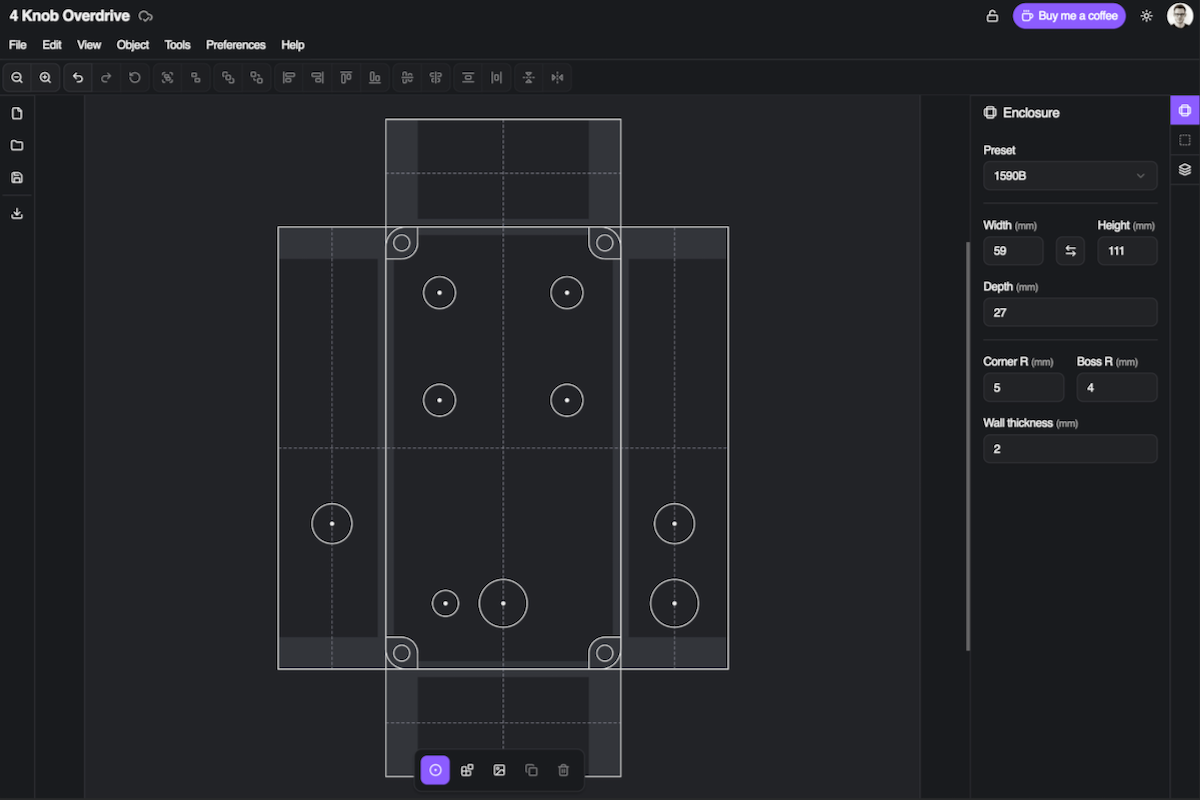
Laying out a 1590B from an empty canvas: placing all the hardware, checking nothing clashes, then looking it over in 3D before the drill comes out.
Features
Everything you need for clean builds
Built for stompbox makers, with the precision the job actually takes.
Sub-millimetre precision
Type an exact position for any hole, down to 0.01 mm. Measurement lines show the spacing to everything around it as you drag.
Enclosure presets
20+ presets from Hammond, Tayda, Gorva and more: 1590A, 1590B, 125B, 1590BB and up. Each one measured off the manufacturer's drawings, down to the corner radius and the slope of the walls. Or type in your own dimensions.
PDF drill templates
Print a true-to-scale PDF and drill straight from it. Every sheet carries a ruler, so you can check the printout came out the right size before you mark anything. There's an SVG export too, if you'd rather work in a vector editor.
Component library
Drop real parts onto your layout: pots, jacks, footswitches and toggles, all drawn to scale, with the PedalPCB, Fuzz Dog and Five Cats footswitch boards sitting on their switch. You can save your own groups of holes too, and reuse them in any project.
Knobs
Fit a knob to any pot or rotary switch, and point it where you like. Your layout starts to look like the finished pedal, which makes spacing much easier to judge: two controls that look far enough apart can turn out knuckle-tight.
Clearance warnings
Parts that clash get a red halo as you work, so you find the problem while it's still a drawing. Everything from the library is checked for you; for anything else, sketch in its size. Draw your own circuit board where it sits and the app checks what will hit it, walls and screw posts included.
3D enclosure preview
See your layout as a finished enclosure and spin it around. Turn on x-ray to see how far each part reaches inside, and catch a clash from any angle before you drill.
Inside and outside views
Work on the outside, the way you drill it, then flip to the inside, the way you wire it. Everything mirrors as you'd expect, and what you print stays the right way round.
Place in a ring
Arrange holes or whole components in a circle around a part: LEDs around a knob, or a halo of them around a footswitch. Set how many and how far out, check the preview, then place them with nothing to line up afterwards.
Line things up
Holes snap to each other and to the centre line as you drag. Select a few to align them, space them evenly, or mirror them across the enclosure, and switch on the grid when you'd rather work to fixed spacing.
Millimetres & inches
Work in millimetres or inches, and switch whenever you like. Everything on screen and everything you export follows.
Tayda drill integration
Works both ways with Tayda's Drill Template Tool. Export your layout as instructions you can type straight in, with the hole sizes already allowing for powder coating, or import a design you started at Tayda.
SVG imports
Bring in your own artwork or part drawings as SVG and lay them over the enclosure to see how the finished pedal will look. Packs like the Pedal Builder's Vector Pack work well.
Shareable layouts
Make any project public and share it with a link. Other builders can view your layout, or clone it as the starting point for their own.
Project templates
Save a project as a template and start new ones from it. Handy for a layout you build again and again.
Embeddable widget
Put a live layout preview on your product page with one line of HTML. Made for PCB suppliers and kit retailers. Learn more →
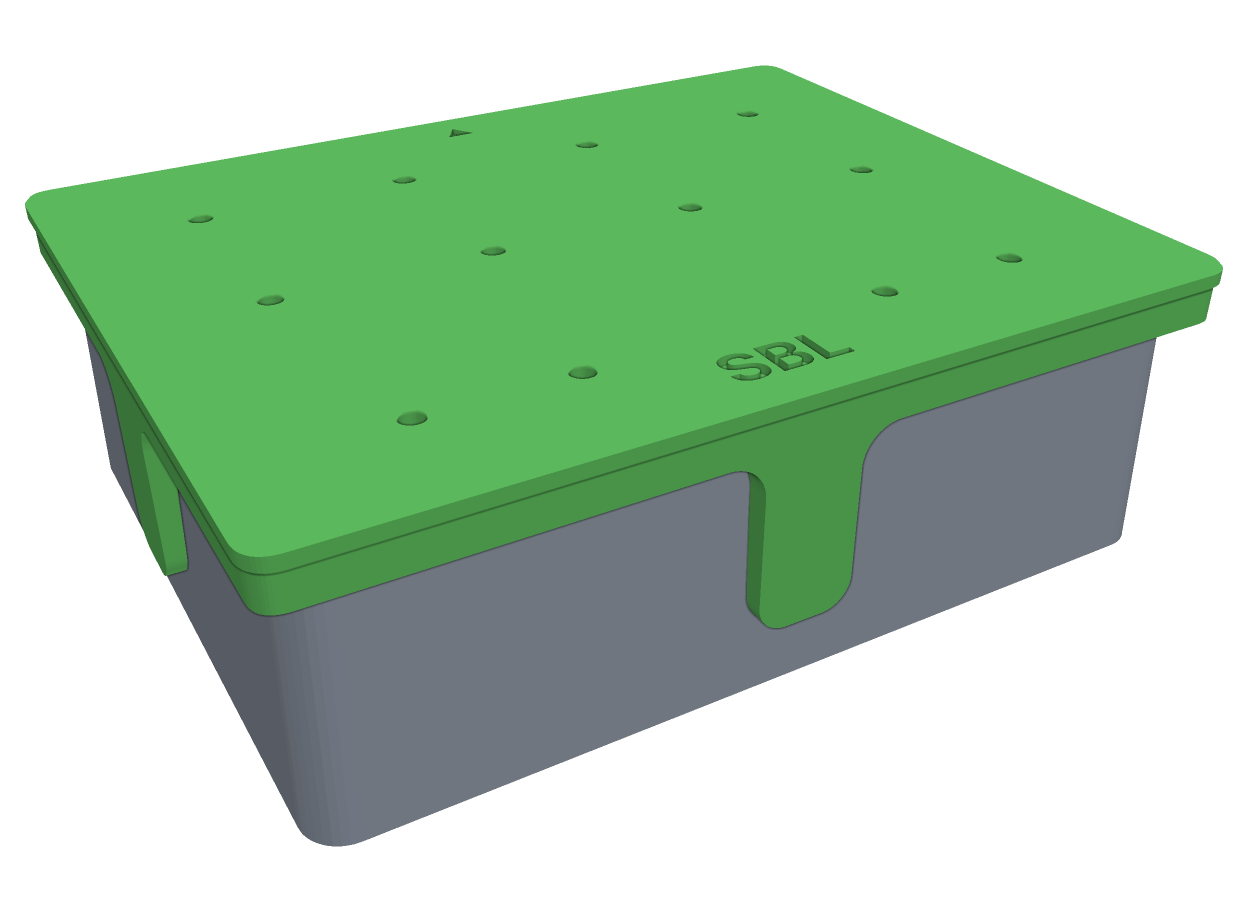
3D printable drill jig
Print a jig from your own layout, for the exact enclosure you picked. It fits your enclosure snugly, so it stays put while you punch and every mark lands where your layout puts it. It marks the side faces as well as the top, so jacks and DC sockets are covered too.
Buy it once and every project you make from then on can export one. No subscription, and a 14 day refund if it isn't for you.
See it in action
A real project, two views
A live Stompbox Layout project: the 2D edit view paired with the 3D enclosure preview. Lay out your holes, then inspect them in 3D before you drill.
Ready to plan your next build?
Stop measuring by hand and drilling blind. Design your layout in the browser, then drill with confidence.
Open the app, it's free