Plan guitar pedal enclosure layouts with millimetre precision
A free browser-based tool for stompbox builders. Place holes, set exact coordinates, and export print-ready drill templates — no installation, no cost.
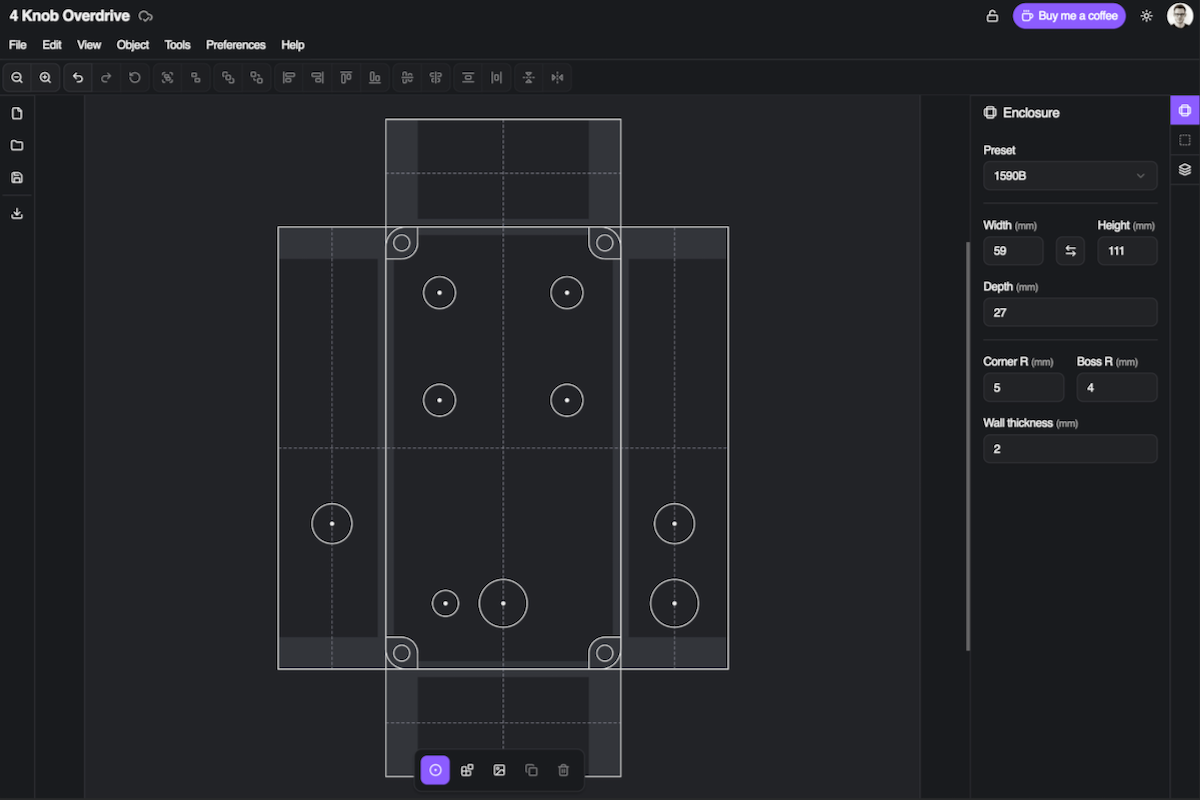
How it works
From idea to drill template in minutes
No guesswork, no graph paper. Just open the app, place your holes, and print.
Choose your enclosure
Pick from standard Hammond sizes — 1590A, 1590B, 125B, BB, and more — or enter any custom width and height. The canvas updates instantly.
Place your holes
Drag to position pots, jacks, switches, and LEDs. Fine-tune exact mm coordinates in the properties panel. Align, snap, and distribute with one click.
Export and drill
Download a to-scale PDF drill template, export a clean SVG for laser cutting, or grab a DXF file for your CNC or CAD workflow.
Live preview
See what a finished layout looks like
This is a real project built with Stompbox Layout. Open it in the app to explore, clone, and make it your own.
Features
Everything you need for clean builds
Built specifically for stompbox makers, with the precision and workflow a hobbyist actually needs.
Millimetre precision
Set hole positions to 0.01 mm with direct coordinate inputs. Real-time measurement lines show exact spacing between holes as you work.
Enclosure presets
1590A, 1590B, 125B, 1590BB, and more standard Hammond sizes built in. Or enter any custom dimension for a non-standard enclosure.
PDF drill templates
Export a true-to-scale PDF you can print directly and use as a drilling guide. Includes hole diameters, labels, and a reference table.
SVG export
Export a clean vector SVG for laser cutting or further editing in Inkscape, Illustrator, or any vector tool.
DXF export
Export geometry as a DXF file ready for CNC machining or import into any CAD software. Go straight from layout to fabrication.
Image overlays
Import your PCB layout or component drawings as a reference layer. Scale and position it to align holes with perfect accuracy.
Alignment & distribution
Select multiple holes and align them to edges, centres, or distribute them evenly with one click. Snap to grid for consistent spacing.
Shareable layouts
Make any project public and share it with a link. Let others view your layout or clone it as the starting point for their own build.
Component library
Save multi-hole groups as reusable components — footswitches, jacks, pot clusters — and place them in any project with one click.
Embeddable widget
Embed a layout preview on your product page with a single <iframe> tag. Perfect for PCB suppliers and kit retailers. Learn more →
Ready to plan your next build?
Stop measuring by hand and drilling blind. Design your layout in the browser, then drill with confidence.
Open the app — it's free